Tinfoil Setup Guide
Setup SGS with Tinfoil on your Nintendo Switch.
Prerequisites
- Nintendo Switch with CFW
- Tinfoil installed
- SGS server running
- SGS should be on the same network that your Nintendo Switch
Instructions
-
Find Server IP - Run
ip addr show(Linux),ipconfig(Windows), orifconfig(macOS) -
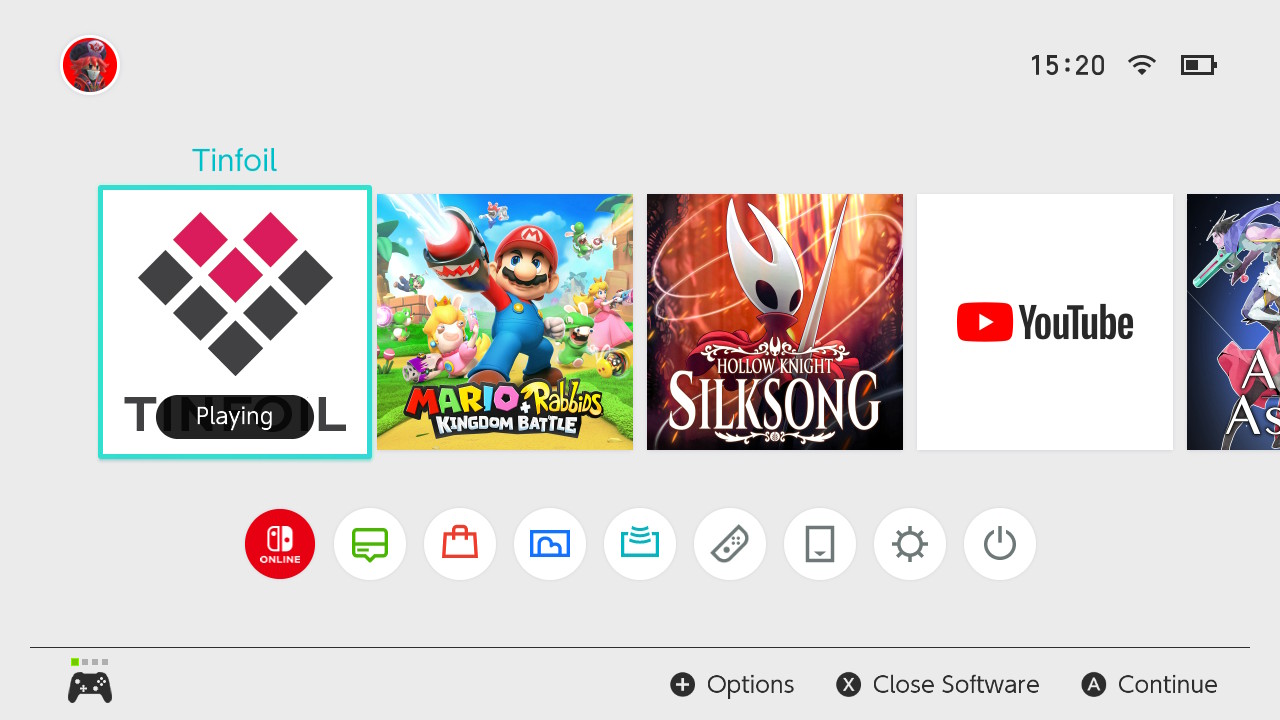
Open Tinfoil - Launch on your Switch
-
Add Source - Go to File Browser → Press the ➖ button add a new source
-
Configure:
- Protocol:
http - Host:
YOUR_IP - Port:
8030 - Path:
/or/api/tinfoil - Title:
Switch Games Server - Enabled:
Yes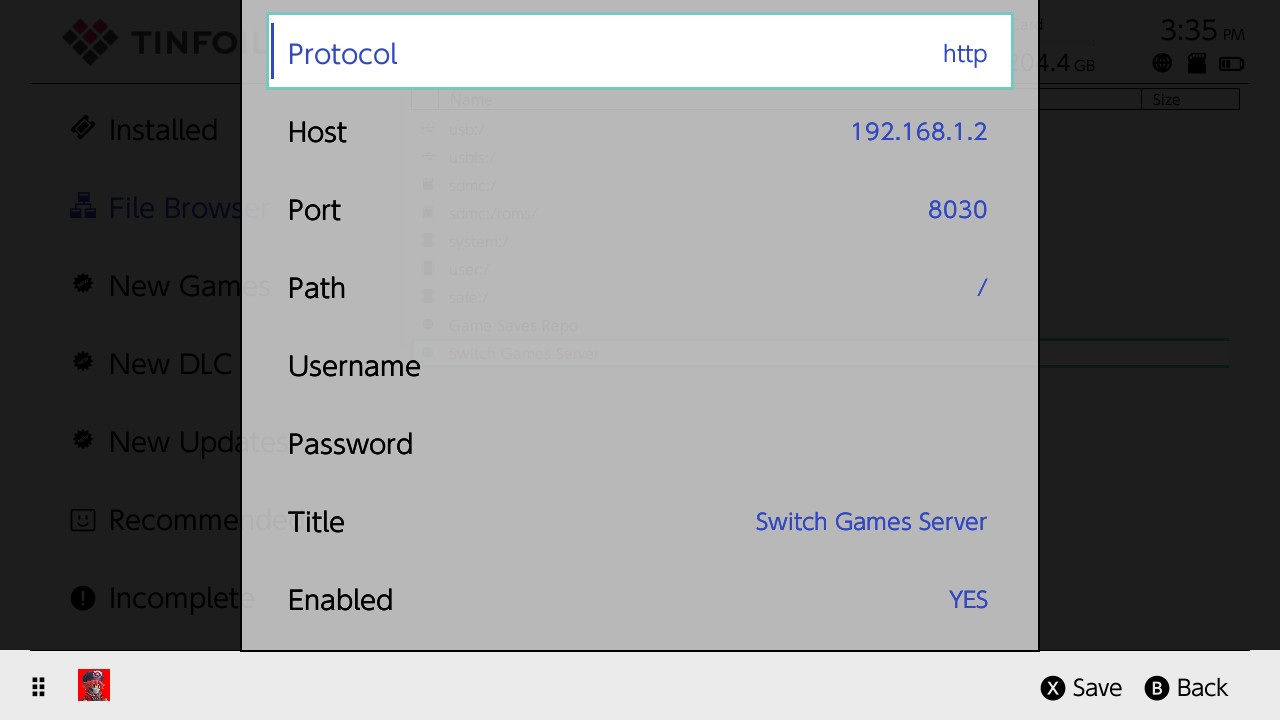
- Protocol:
-
Save: Press X to save
-
Success: You should see a success message with the text
Switch Games Server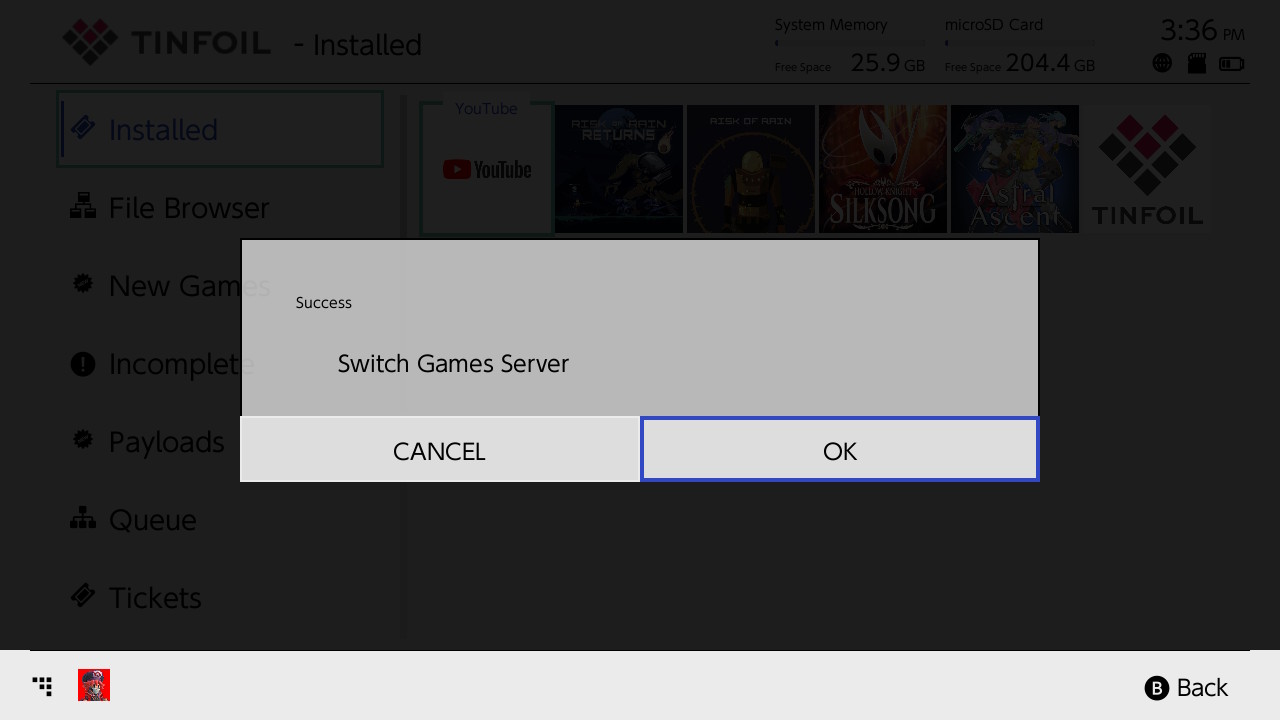
-
Browse: Depending on the content you've placed on the
gamesdirectory, it should appear onNew Games,New DLCorNew Updates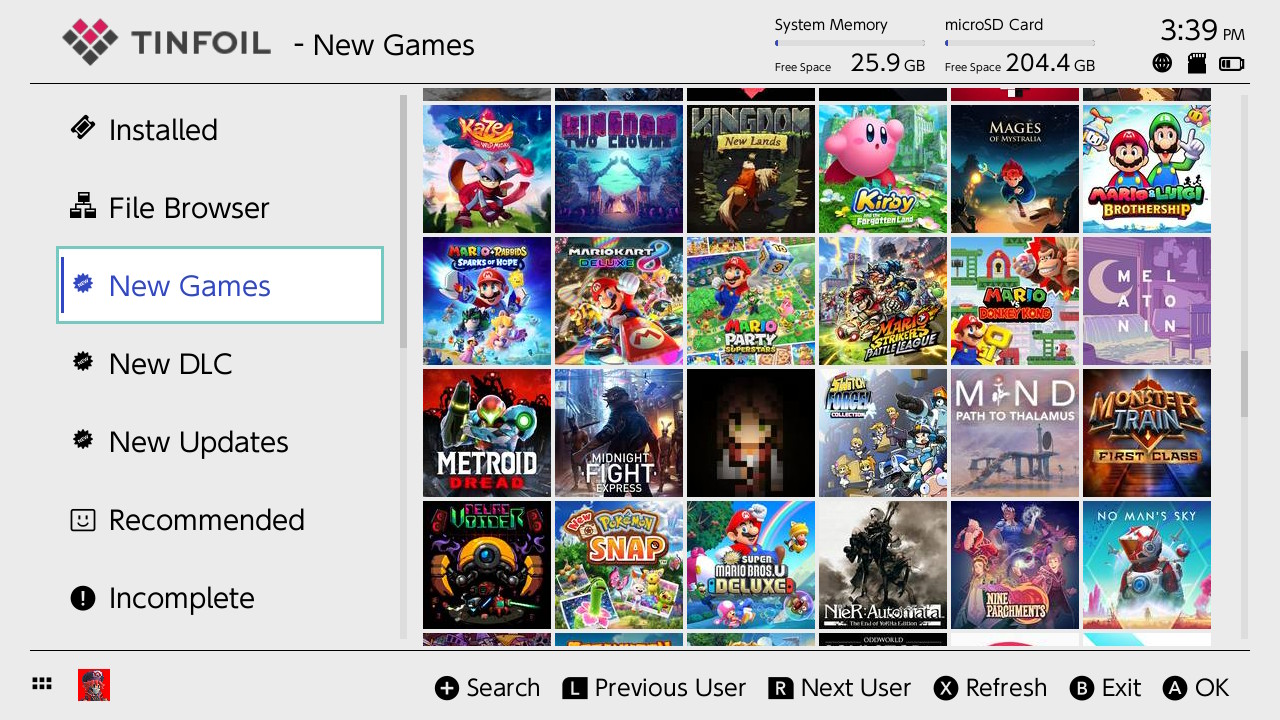
Troubleshooting
- Connection Failed: Check network, firewall, server running
- No Games: Verify files in
games/folder with correct extensions
API Format
{
  "files": [
    {"url": "http://YOUR_IP:8030/games/example1.nsz", "size": 123456},
    {"url": "http://YOUR_IP:8030/games/example2.nsz", "size": 123456}
  ],
  "success": "Switch Games Server"
}